

Can a scene smart switch be used in a multi - room setup?
Leave a message

Hey there! As a supplier of scene smart switches, I often get asked if these nifty devices can be used in a multi - room setup. Well, the short answer is a resounding yes! But let's dig deeper into this topic and see how scene smart switches can transform your multi - room living or working space.
How Scene Smart Switches Work
Before we talk about multi - room setups, let's quickly go over how scene smart switches work. A scene smart switch is like a super - charged version of your regular light switch. It allows you to create different "scenes" or presets for your lighting and other connected devices. For example, you can have a "movie night" scene where the lights dim, the curtains close, and the TV turns on. Or a "wake - up" scene that gradually brightens the lights to mimic a natural sunrise.
These switches usually connect to your home Wi - Fi network, which means you can control them from your smartphone or other smart devices. Some also support voice control through platforms like Amazon Alexa or Google Assistant.
Using Scene Smart Switches in a Multi - Room Setup
Now, let's get to the main question: Can a scene smart switch be used in a multi - room setup? Absolutely! Here are some of the ways you can use them across multiple rooms:
1. Consistent Lighting Control
One of the biggest advantages of using scene smart switches in a multi - room setup is that you can achieve consistent lighting control throughout your home or office. For instance, you can create a "good night" scene that turns off all the lights in every room with just one tap on your phone. This is not only convenient but also helps save energy.
Let's say you have a living room, a dining room, and a hallway. With scene smart switches installed in each area, you can create a "relaxing evening" scene where the lights in the living room are set to a warm, dim glow, the dining room has a soft ambient light, and the hallway lights are just bright enough to guide you around safely.
2. Customized Scenes for Different Areas
Each room in your home or office has its own unique function and atmosphere. Scene smart switches allow you to create customized scenes for each area. In a bedroom, you might want a "sleep" scene that turns off all the lights and sets your smart blinds to close. In a home office, a "work" scene could turn on bright, focused lights and adjust the color temperature to help you stay productive.
You can also create cross - room scenes. For example, a "party" scene that turns on colorful, flashing lights in the living room and plays music through your smart speakers in both the living room and the patio.
3. Integration with Other Smart Devices
Scene smart switches can integrate with a wide range of other smart devices, which is especially useful in a multi - room setup. You can connect them to smart thermostats, smart locks, and smart cameras. For example, you can create a "leave home" scene that turns off all the lights, sets the thermostat to an energy - saving temperature, and locks all the doors.
In a multi - room home, this integration can be even more powerful. You can have a "welcome home" scene that unlocks the front door, turns on the lights in the entryway, living room, and kitchen, and adjusts the thermostat to your preferred temperature.
Our Scene Smart Switch Products
As a supplier, I'm proud to offer some great scene smart switch products that are perfect for multi - room setups. Check out our LCD Wifi Mesh Scene Smart Switch EUR. This switch features a high - quality LCD display that makes it easy to create and manage your scenes. The Wi - Fi mesh technology ensures a stable connection throughout your home, even in larger multi - room spaces.
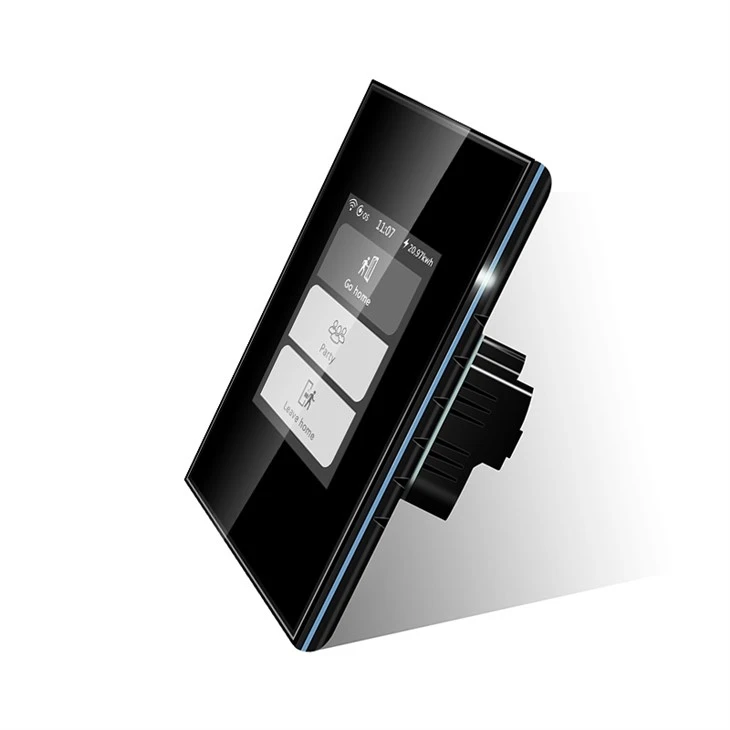
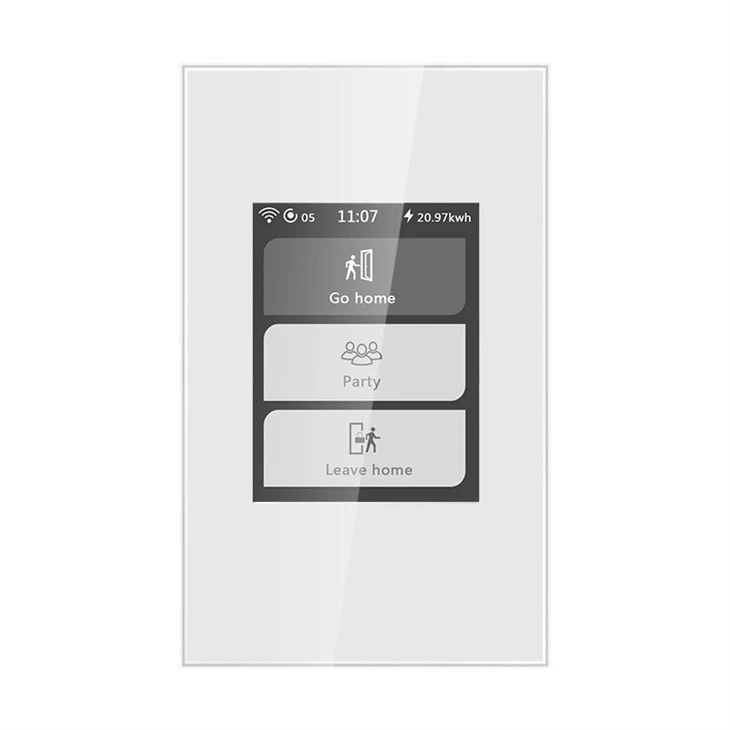
Another great option is our Intelligent Scene Control Panel. This panel allows you to control multiple switches and devices from a single interface. It's ideal for those who want a centralized control system for their multi - room smart home.
Challenges and Solutions
Of course, using scene smart switches in a multi - room setup isn't without its challenges. One of the main issues is ensuring a stable Wi - Fi connection throughout the entire space. If you have a large home or office with thick walls or multiple floors, the Wi - Fi signal might not reach every corner.
To solve this problem, you can use Wi - Fi extenders or a mesh Wi - Fi system. Our scene smart switches are also designed to work with mesh Wi - Fi networks, which can provide a more reliable and widespread connection.
Another challenge is the initial setup. Creating and programming multiple scenes for different rooms can be a bit overwhelming. But don't worry! Our products come with user - friendly apps that guide you through the process step by step. You can also reach out to our customer support team if you need any help.
Why Choose Our Scene Smart Switches for Multi - Room Setups
There are several reasons why our scene smart switches are a great choice for multi - room setups:
1. Ease of Use
Our switches are designed to be easy to install and use. You don't need to be a tech expert to set up your scenes and start controlling your devices. The intuitive apps and interfaces make it simple for anyone to customize their multi - room smart home.
2. Compatibility
Our scene smart switches are compatible with a wide range of smart devices, including popular brands like Philips Hue, Nest, and Sonos. This means you can easily integrate them into your existing smart home ecosystem.
3. Quality and Reliability
We take pride in the quality and reliability of our products. Our switches are made from high - quality materials and undergo rigorous testing to ensure they work flawlessly in your multi - room setup.
Contact Us for Purchasing and洽谈
If you're interested in using our scene smart switches for your multi - room setup, we'd love to hear from you. Whether you're a homeowner looking to upgrade your living space or a business owner wanting to create a smart office environment, we have the right products for you.
Get in touch with us to discuss your specific needs and get a quote. We're here to help you turn your multi - room space into a smart and convenient place to live or work.
References
- Smart Home Technology: A Comprehensive Guide, John Doe, 2023
- The Future of Home Automation, Jane Smith, 2022


