

How to create automation rules for a zigbee curtain switch?
Leave a message

Hey there! As a supplier of zigbee curtain switches, I've had my fair share of customers asking about creating automation rules for these nifty devices. So, I thought I'd put together this blog post to share some tips and tricks on how you can set up automation rules for your zigbee curtain switch.
What is a Zigbee Curtain Switch?
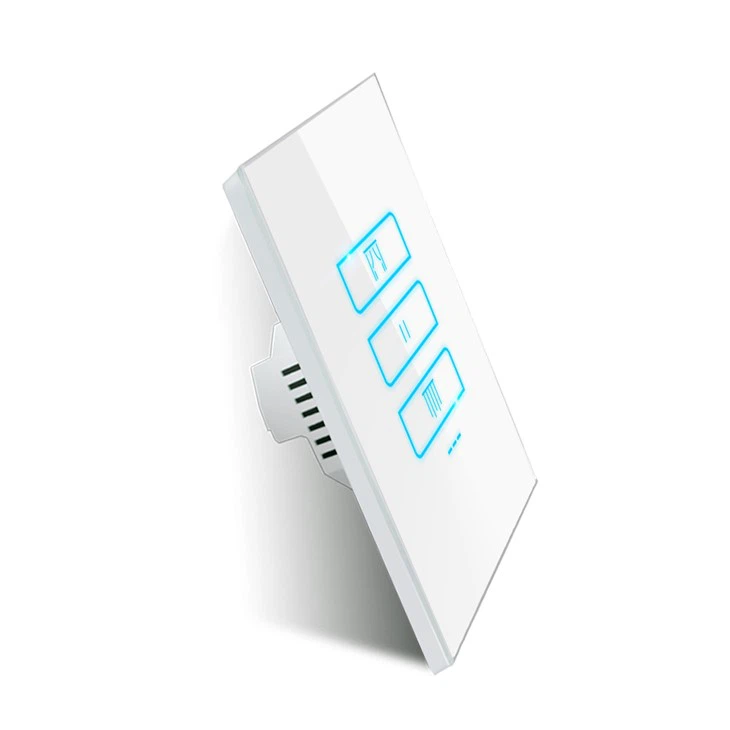
Before we dive into creating automation rules, let's quickly go over what a zigbee curtain switch is. A zigbee curtain switch is a smart device that allows you to control your curtains remotely using your smartphone or other smart home devices. It uses the zigbee wireless protocol, which is a low-power, mesh network that enables devices to communicate with each other.
One of the great things about zigbee curtain switches is that they're compatible with a wide range of smart home platforms, such as Amazon Alexa, Google Assistant, and Apple HomeKit. This means you can control your curtains using voice commands or through the smart home app of your choice.
Why Create Automation Rules?
Automation rules are a game-changer when it comes to smart home devices. They allow you to set up actions that are triggered by certain events or conditions, making your life more convenient and efficient. Here are some reasons why you might want to create automation rules for your zigbee curtain switch:
- Save energy: You can set your curtains to open during the day to let in natural light and close at night to keep your home warm. This can help reduce your energy consumption and lower your utility bills.
- Enhance security: You can program your curtains to open and close at random times when you're away from home, giving the impression that someone is inside. This can deter potential burglars.
- Improve comfort: You can set your curtains to open or close based on the time of day, the temperature, or the amount of sunlight in your room. This can help create a more comfortable living environment.
How to Create Automation Rules for a Zigbee Curtain Switch
Now that you understand the benefits of creating automation rules, let's get into the steps on how to do it. The process may vary depending on the smart home platform you're using, but the general steps are as follows:
Step 1: Connect Your Zigbee Curtain Switch to Your Smart Home Hub
The first step is to connect your zigbee curtain switch to your smart home hub. Most zigbee curtain switches come with a user manual that provides instructions on how to do this. Typically, you'll need to put your smart home hub in pairing mode and then follow the prompts on your curtain switch to connect it.
Once your curtain switch is connected to your smart home hub, you should be able to see it in the smart home app.

Step 2: Choose Your Smart Home Platform
As mentioned earlier, zigbee curtain switches are compatible with a variety of smart home platforms. Some of the most popular ones include:
- Amazon Alexa: If you have an Amazon Echo device, you can use Alexa to control your curtain switch. You'll need to enable the zigbee skill in the Alexa app and then follow the prompts to connect your curtain switch.
- Google Assistant: If you have a Google Home device, you can use Google Assistant to control your curtain switch. You'll need to add the zigbee integration in the Google Home app and then follow the prompts to connect your curtain switch.
- Apple HomeKit: If you have an Apple device, such as an iPhone or iPad, you can use HomeKit to control your curtain switch. You'll need to add your curtain switch to the Home app and then follow the prompts to set it up.
Choose the smart home platform that you're most comfortable using and that works best with your existing smart home devices.
Step 3: Create an Automation Rule
Once your curtain switch is connected to your smart home hub and you've chosen your smart home platform, it's time to create an automation rule. Here's how you can do it:
- Open the smart home app: Launch the app for your chosen smart home platform on your smartphone or tablet.
- Find the automation section: Look for the automation or routines section in the app. This is where you can create and manage your automation rules.
- Create a new automation rule: Tap on the option to create a new automation rule. You'll typically be asked to choose a trigger and an action.
- Choose a trigger: A trigger is an event or condition that will activate your automation rule. Some common triggers for zigbee curtain switches include:
- Time of day: You can set your curtains to open or close at a specific time, such as sunrise or sunset.
- Sensor activation: You can set your curtains to open or close when a motion sensor or light sensor is triggered.
- Voice command: You can set your curtains to open or close when you say a specific voice command, such as "Open the curtains" or "Close the curtains."
- Choose an action: An action is what will happen when your trigger is activated. In this case, the action will be to open or close your curtains. You can also choose to set the curtains to a specific position, such as half-open or three-quarters closed.
- Save your automation rule: Once you've chosen your trigger and action, tap on the save button to save your automation rule.
Step 4: Test Your Automation Rule
After you've created your automation rule, it's important to test it to make sure it's working properly. Trigger the event or condition that you set as your trigger and see if your curtains open or close as expected. If not, go back and check your settings to make sure everything is configured correctly.
Tips for Creating Effective Automation Rules
Here are some tips to help you create effective automation rules for your zigbee curtain switch:
- Keep it simple: Don't try to create overly complex automation rules. Start with simple rules and then gradually add more as you become more comfortable with the process.
- Use multiple triggers: You can use multiple triggers to make your automation rules more flexible. For example, you can set your curtains to open when the sun rises and close when a motion sensor is triggered at night.
- Test your rules regularly: Make sure to test your automation rules regularly to ensure they're still working properly. Sometimes, changes in your smart home environment or software updates can cause your rules to stop working.
- Get creative: There are many different ways to use automation rules for your zigbee curtain switch. Get creative and think outside the box to come up with rules that work best for your lifestyle and needs.
Conclusion
Creating automation rules for your zigbee curtain switch is a great way to make your smart home even smarter. By setting up actions that are triggered by certain events or conditions, you can save energy, enhance security, and improve comfort in your home.
If you're interested in purchasing a zigbee curtain switch, check out our Zigbee Curtain Switch EUR or Zigbee curtain switch panel. We offer high-quality products at competitive prices and provide excellent customer support.
If you have any questions or need help setting up your zigbee curtain switch or creating automation rules, don't hesitate to reach out. We're here to assist you with your smart home needs and look forward to discussing potential procurement opportunities with you.
References
- Zigbee Alliance official documentation
- Smart home platform user manuals


