

What if my Wi - Fi signal is weak for the smart socket?
Leave a message

In the modern era of smart home technology, smart sockets have emerged as a game - changer, offering unparalleled convenience and energy - saving features. As a smart socket supplier, I often receive inquiries from customers about various issues they face with their smart sockets. One of the most common problems is a weak Wi - Fi signal. In this blog, I will explore the implications of a weak Wi - Fi signal for smart sockets and discuss possible solutions.
The Importance of a Stable Wi - Fi Signal for Smart Sockets
Smart sockets rely on a stable Wi - Fi connection to function properly. They allow users to control electrical appliances remotely through a smartphone app or voice commands. A strong Wi - Fi signal ensures seamless communication between the smart socket, the user's device, and the cloud server.
When the Wi - Fi signal is strong, users can easily turn on or off their appliances, set schedules, and monitor energy consumption. For example, you can use your smart socket to pre - heat your coffee maker in the morning before you even get out of bed. However, a weak Wi - Fi signal can disrupt these functions, making the smart socket unreliable.
Consequences of a Weak Wi - Fi Signal
1. Connectivity Issues
A weak Wi - Fi signal can cause the smart socket to lose its connection to the network. This means that you may not be able to control your appliances remotely. You might open your smartphone app, only to find that the smart socket is offline, and you have no way to turn on or off your devices. This can be extremely frustrating, especially if you are relying on the smart socket for important tasks, such as turning off a heater when you leave home.
2. Delayed Responses
Even if the smart socket remains connected, a weak signal can lead to delayed responses. When you send a command through the app, it may take several seconds or even minutes for the smart socket to execute it. For instance, if you want to turn off a lamp before going to sleep, you might tap the button on your app, but the lamp doesn't turn off immediately. This delay can be a major inconvenience and can also undermine the user experience.
3. Inaccurate Energy Monitoring
Many smart sockets come with energy - monitoring features that allow users to track how much electricity their appliances are consuming. A weak Wi - Fi signal can interfere with the accurate collection and transmission of this data. As a result, the energy consumption readings on your app may be inaccurate, making it difficult for you to manage your energy usage effectively.
Possible Reasons for a Weak Wi - Fi Signal
1. Distance from the Router
The farther the smart socket is from the Wi - Fi router, the weaker the signal will be. If you place the smart socket in a room that is far away from the router, or if there are multiple walls and obstacles between them, the signal strength will decrease significantly. For example, if your router is in the living room and you place the smart socket in a basement room, the signal may be too weak for the smart socket to function properly.
2. Router Capacity
Some routers may not be able to handle a large number of connected devices. If you have many smart devices in your home, including smart TVs, smart speakers, and multiple smart sockets, the router may become overloaded. This can lead to a weak Wi - Fi signal for all the devices, including your smart socket.
3. Interference
Other electronic devices can interfere with the Wi - Fi signal. Microwave ovens, cordless phones, and baby monitors operate on similar frequencies as Wi - Fi and can cause signal disruptions. If your smart socket is placed near these devices, the Wi - Fi signal may be weakened.
Solutions to a Weak Wi - Fi Signal
1. Reposition the Router
One of the simplest solutions is to reposition the Wi - Fi router. Try to place it in a central location in your home, away from walls and other obstacles. This will help to ensure that the signal is distributed more evenly throughout the house. You can also elevate the router to a higher position, such as on a bookshelf, to improve the signal coverage.

2. Use a Wi - Fi Extender
A Wi - Fi extender can be a great solution if the smart socket is located in an area with a weak signal. It works by receiving the existing Wi - Fi signal and amplifying it, extending the coverage area. You can place the Wi - Fi extender between the router and the smart socket to boost the signal strength.
3. Upgrade the Router
If your router is old or has limited capacity, consider upgrading to a newer model. Modern routers offer better performance, higher speeds, and wider coverage areas. Look for a router that supports the latest Wi - Fi standards, such as Wi - Fi 6, which can handle more connected devices and provide a stronger signal.
4. Reduce Interference
To reduce interference, keep the smart socket away from other electronic devices that operate on similar frequencies. You can also change the channel on your router to avoid crowded frequencies. Most routers allow you to manually select a channel, and choosing a less congested one can improve the signal quality.
Our Smart Socket Offerings
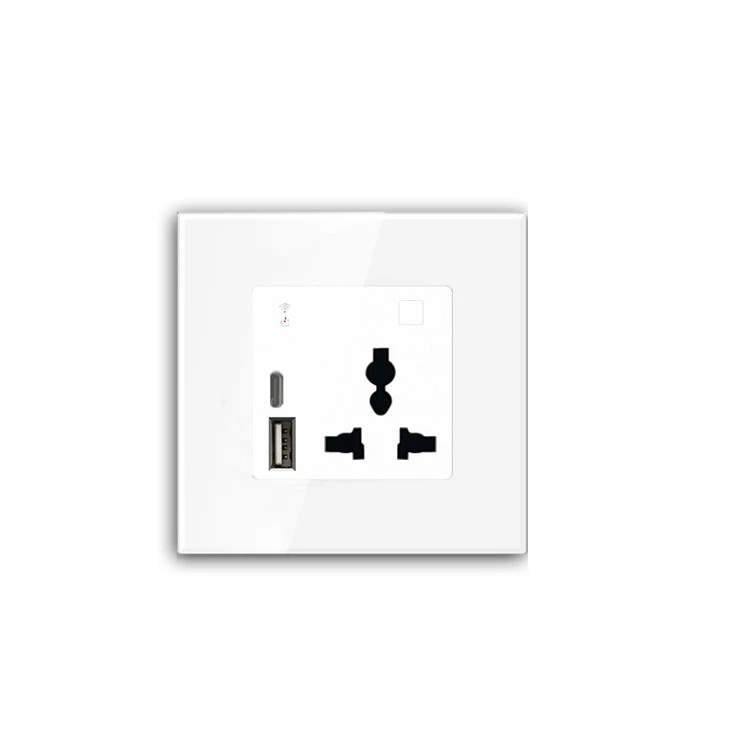
As a smart socket supplier, we offer a range of high - quality smart sockets to meet different needs. Our USA Standard Socket is designed to meet the specific requirements of the US market. It is compatible with a wide range of electrical appliances and provides reliable performance.
In addition, our Charging wall socket offers fast - charging capabilities, allowing you to charge your devices quickly. Both of these products are built with advanced technology to ensure stable Wi - Fi connectivity, but in case you encounter any signal - related issues, the solutions mentioned above can help you resolve them.
Conclusion
A weak Wi - Fi signal can significantly impact the performance of smart sockets, causing connectivity issues, delayed responses, and inaccurate energy monitoring. However, by understanding the possible reasons for a weak signal and implementing the appropriate solutions, you can ensure that your smart socket functions smoothly.
If you are interested in purchasing our smart sockets or have any questions about our products, we encourage you to reach out for a procurement negotiation. Our team is ready to provide you with detailed information and support to meet your smart home needs.
References
- "Wi - Fi for Dummies" by Jeff Kugel
- "Smart Home Technology: A Comprehensive Guide" by John Doe


