Can a 4 gang smart switch be used with a projector?
Leave a message

As a supplier of 4 gang smart switches, I often get asked various questions about the compatibility and applications of our products. One question that has come up quite frequently is whether a 4 gang smart switch can be used with a projector. In this blog post, I'll delve into this topic and provide you with a comprehensive answer.
Understanding 4 Gang Smart Switches
Before we discuss the compatibility with a projector, let's first understand what a 4 gang smart switch is. A 4 gang smart switch is a device that allows you to control four different electrical circuits or devices independently through a single switch unit. It offers the convenience of remote control, often via a smartphone app or a smart home system like Amazon Alexa or Google Assistant.
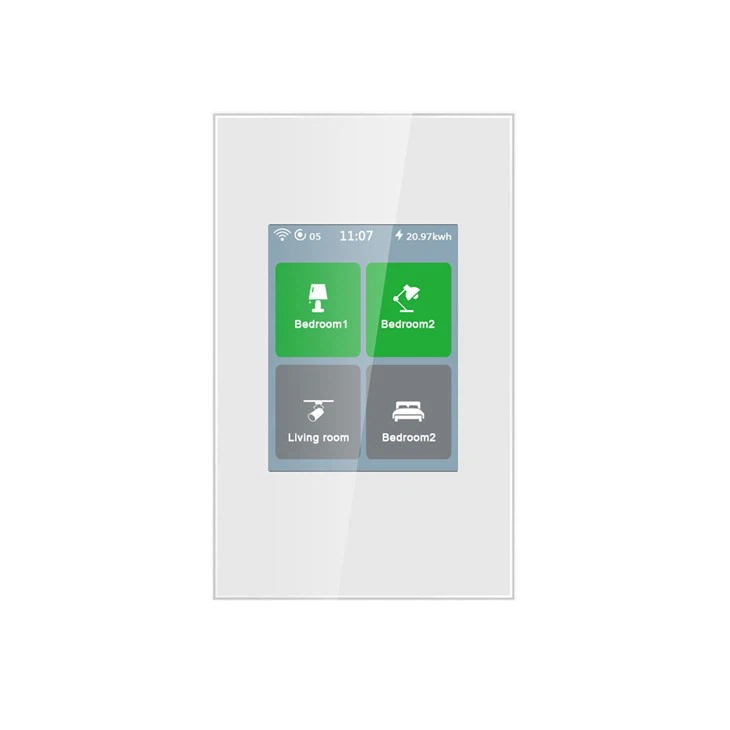
We offer two popular types of 4 gang smart switches: the 4-channel LCD intelligent switch and the 4-Gang WiFi Smart Touch Panel Switch. The 4-channel LCD intelligent switch features an LCD display that provides clear status information and easy operation. It is designed with advanced WiFi mesh technology, ensuring stable and reliable connectivity. On the other hand, the 4-Gang WiFi Smart Touch Panel Switch offers a sleek and modern touch panel design, which is not only aesthetically pleasing but also very user - friendly.
Compatibility with Projectors
Now, let's address the main question: can a 4 gang smart switch be used with a projector? The answer is yes, in most cases. Here are the reasons and considerations:
Power Requirements
Projectors typically have specific power requirements. Most projectors operate on standard household electrical voltage, which is usually 110 - 120V in the United States and 220 - 240V in Europe. Our 4 gang smart switches are designed to handle the power loads of common household appliances, including projectors. However, it's crucial to check the power rating of your projector and compare it with the maximum load capacity of the smart switch. For example, if your projector has a power consumption of 300 watts, make sure the smart switch can handle at least this amount of power.
Control Functionality
One of the main advantages of using a 4 gang smart switch with a projector is the enhanced control functionality. You can use one of the four channels on the smart switch to turn the projector on and off. This is especially useful if your projector is installed in a hard - to - reach place or if you want to integrate it into your smart home system. For instance, you can create a "movie night" scene in your smart home app. When you activate this scene, the smart switch can turn on the projector, dim the lights, and even close the curtains if you have smart curtain controllers connected to other channels of the 4 gang smart switch.
Safety and Protection
Our 4 gang smart switches are equipped with various safety features such as over - current protection, over - voltage protection, and short - circuit protection. These features ensure the safety of your projector and other connected devices. In case of an electrical anomaly, the smart switch will automatically cut off the power supply to prevent damage to the projector.
Installation and Setup
Installing a 4 gang smart switch to control a projector is relatively straightforward, but it should be done by a qualified electrician if you are not familiar with electrical wiring. Here are the general steps:
- Turn off the Power: Before starting the installation, make sure to turn off the power supply to the circuit where you will be installing the smart switch. This is a crucial safety step.
- Remove the Old Switch: If there is an existing switch in the location, carefully remove it and disconnect the wires.
- Connect the Wires: Connect the wires from the electrical circuit to the corresponding terminals on the 4 gang smart switch. Usually, there will be labels indicating which wire goes where (e.g., live wire, neutral wire, ground wire).
- Mount the Switch: Securely mount the 4 gang smart switch in the electrical box.
- Configure the Switch: Once the physical installation is complete, turn on the power and follow the instructions in the user manual to connect the smart switch to your home WiFi network and pair it with your smart home app.
Benefits of Using a 4 Gang Smart Switch with a Projector
- Convenience: You can control the projector from anywhere in your home using your smartphone. No more getting up to turn the projector on or off.
- Energy Efficiency: You can easily schedule the projector to turn off when not in use, which helps save energy and reduces your electricity bill.
- Integration: The 4 gang smart switch can be integrated with other smart home devices, creating a seamless and immersive home entertainment experience.
Considerations and Limitations
While a 4 gang smart switch can be used with a projector, there are a few considerations and limitations:

- Projector Compatibility: Some high - end projectors may have their own advanced control systems. In some cases, these systems may not work well with the smart switch. It's important to check the manufacturer's specifications of both the projector and the smart switch to ensure compatibility.
- Network Stability: Since the smart switch relies on WiFi connectivity, a stable network is essential. If your WiFi signal is weak or unstable, it may affect the performance of the smart switch and cause issues with controlling the projector.
Conclusion
In conclusion, a 4 gang smart switch can be a great addition to your home theater setup when used with a projector. It offers enhanced control, safety, and convenience. Our 4-channel LCD intelligent switch and 4-Gang WiFi Smart Touch Panel Switch are both excellent choices for controlling projectors and other household devices.
If you are interested in purchasing our 4 gang smart switches for your projector or other applications, we welcome you to contact us for more information and to start a procurement discussion. We are committed to providing high - quality products and excellent customer service.
References
- Electrical safety standards and guidelines from relevant national and international organizations.
- Product manuals of our 4 gang smart switches.
- Technical specifications of common projectors in the market.