Can smart sockets be used with printers?
Leave a message

Hey there! As a supplier of smart sockets, I often get asked a bunch of questions about how our products work with different devices. One question that pops up quite a bit is, "Can smart sockets be used with printers?" Well, let's dive right into this topic and find out.


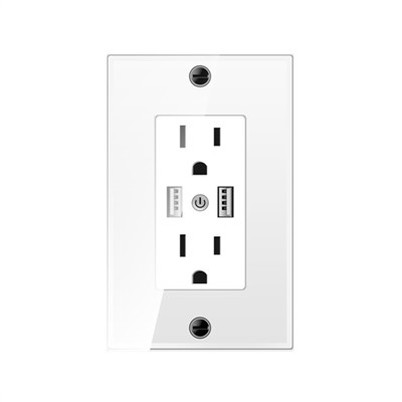
First off, let's talk a bit about what smart sockets are. Smart sockets are these nifty little devices that you can plug into a regular wall outlet. They then allow you to control whatever's plugged into them using your smartphone, a smart home hub, or even voice commands. It's like having a super - power for your electrical devices!
Now, when it comes to printers, the short answer is yes, in most cases, you can use a smart socket with a printer. But, as with most things in life, there are a few things you need to keep in mind.
Compatibility
The first thing to consider is compatibility. Printers come in all shapes and sizes, from small home - use inkjet printers to large, industrial - grade laser printers. Most smart sockets are designed to handle a certain amount of electrical load, usually measured in watts. You need to check the power requirements of your printer. You can usually find this information on a label on the back or bottom of the printer.
For example, a typical home inkjet printer might use around 10 - 30 watts when it's printing, and much less when it's in standby mode. Our Charging wall socket can handle a decent amount of power, so it should be able to work just fine with a small - to - medium - sized printer.
On the other hand, a large laser printer can consume hundreds of watts, especially when it's warming up or printing high - volume jobs. In this case, you need to make sure that the smart socket you choose can handle that kind of load. Our USA Standard Socket is built to handle a relatively high power capacity, but you still need to double - check the printer's wattage.
Functionality
Another aspect to think about is functionality. When you use a smart socket with a printer, you gain the ability to turn the printer on and off remotely. This can be really handy if you're not at home but want to make sure the printer is ready to go when you get back. You can also set schedules. For example, you can program the smart socket to turn the printer on at a certain time every morning so that it's ready for your first print job.
However, there are some potential issues. Some printers have complex startup sequences. When you turn the printer off using the smart socket and then back on, it might not go through the proper startup process. This could lead to errors or the printer not working correctly. Some printers also have internal power management systems. If you cut the power suddenly using the smart socket, it could cause problems with the printer's memory or other components.
Safety
Safety is always a top priority. Smart sockets are designed with safety features like overload protection and short - circuit protection. But when using a smart socket with a printer, you still need to be careful. Make sure the smart socket is properly installed and that the connections are secure.
If you notice any strange smells, noises, or if the smart socket or printer gets unusually hot, turn off the power immediately. This could be a sign of a problem, and you don't want to risk a fire or damage to your devices.
Installation
Installing a smart socket with a printer is usually pretty straightforward. First, make sure the printer is turned off. Then, plug the smart socket into a wall outlet. Next, plug the printer into the smart socket. After that, you'll need to connect the smart socket to your home Wi - Fi network. This usually involves downloading an app on your smartphone and following the on - screen instructions.
Once the smart socket is connected to your Wi - Fi, you can start using the app to control the printer. You can turn it on and off, set schedules, and monitor the power consumption.
Benefits of Using a Smart Socket with a Printer
There are several benefits to using a smart socket with a printer. One of the biggest benefits is energy savings. Printers can consume a fair amount of power, even when they're in standby mode. By using a smart socket to turn the printer off when it's not in use, you can reduce your energy bills.
It also adds an extra layer of convenience. You can control the printer from anywhere, as long as you have an internet connection. This is great if you're away from home and need to print something urgently. You can turn the printer on remotely, send the print job, and have it ready for you when you get back.
Drawbacks
Of course, there are also some drawbacks. As I mentioned earlier, there can be issues with the printer's startup sequence. Also, if the smart socket malfunctions or there's a problem with the Wi - Fi connection, you might not be able to control the printer. And in some cases, the initial setup can be a bit tricky, especially if you're not very tech - savvy.
In conclusion, smart sockets can be used with printers in most cases, but you need to be aware of the compatibility, functionality, safety, and installation issues. If you choose the right smart socket and use it correctly, you can enjoy the benefits of remote control and energy savings.
If you're interested in purchasing our smart sockets for your printer or other devices, we'd love to have a chat with you. Whether you're a home user looking for a simple solution or a business owner in need of a more robust setup, we've got the products to meet your needs. Reach out to us to start a conversation about your requirements and how our smart sockets can fit into your setup.
References
- General knowledge about smart sockets and printers from industry experience.
- Manufacturer's specifications for smart sockets and printers.