

How can I ensure the security of my alarm smart switch?
Leave a message

As a supplier of alarm smart switches, I understand the growing concerns surrounding the security of these devices in our increasingly connected world. Ensuring the safety and reliability of your alarm smart switch is not just a matter of protecting your property; it's about safeguarding your peace of mind. In this blog, I'll share some essential strategies to help you maintain the highest level of security for your alarm smart switch.
1. Choose a Reputable Manufacturer
The first step in ensuring the security of your alarm smart switch is to select a reliable and well - known manufacturer. A reputable company invests in research and development to implement the latest security protocols and technologies. They also have a track record of providing regular software updates to patch any security vulnerabilities that may arise. When you choose a product from a trusted brand, you are more likely to get a device that is built with security in mind.
Our company has been in the industry for years, and we take pride in our commitment to security. Our LCD Wifi Mesh Alarm Smart Switch is designed with multiple layers of security to protect your home or business from unauthorized access.
2. Keep Your Firmware Up - to - Date
Firmware is the software that runs on your alarm smart switch. Manufacturers often release firmware updates to improve security, add new features, and fix bugs. It is crucial to keep your device's firmware up - to - date. Most modern alarm smart switches can be set to receive automatic firmware updates. However, if your device does not support automatic updates, you should regularly check the manufacturer's website for the latest firmware version and install it manually.
Updating the firmware can prevent hackers from exploiting known vulnerabilities in the software. For example, a vulnerability in the communication protocol of an older firmware version could allow a hacker to intercept and manipulate the signals sent between your alarm smart switch and the central monitoring system. By keeping the firmware updated, you ensure that your device is protected against the latest threats.
3. Use Strong Authentication
Authentication is the process of verifying the identity of a user or device. To enhance the security of your alarm smart switch, use strong authentication methods. This includes using unique and complex passwords for your device's administrative settings and any associated mobile apps. A strong password should be at least 12 characters long, include a mix of uppercase and lowercase letters, numbers, and special characters.
In addition to passwords, consider using two - factor authentication (2FA). 2FA adds an extra layer of security by requiring users to provide two forms of identification, such as a password and a one - time code sent to their mobile phone. This makes it much more difficult for hackers to gain unauthorized access to your device, even if they manage to obtain your password.
4. Secure Your Network
Your alarm smart switch relies on your home or office network to communicate with the monitoring system and other devices. Therefore, securing your network is essential for the security of your alarm smart switch. Start by changing the default settings of your router, such as the SSID (network name) and password. Avoid using common or easily guessable names and passwords.
Enable WPA3 encryption on your router. WPA3 is the latest Wi - Fi security protocol, which provides stronger protection against unauthorized access compared to its predecessors. You should also ensure that your router's firmware is up - to - date, as router manufacturers often release updates to fix security vulnerabilities.
Limit the number of devices connected to your network, and use a guest network for visitors to your home or office. This helps to isolate your alarm smart switch and other critical devices from potentially unsecure devices.
5. Install Firewalls
A firewall is a security device or software that monitors and controls incoming and outgoing network traffic. Installing a firewall can help protect your alarm smart switch from unauthorized access and malicious attacks.
There are two types of firewalls: hardware firewalls and software firewalls. A hardware firewall is a physical device that is typically installed between your network and the internet. It provides an additional layer of security for all the devices on your network. A software firewall, on the other hand, is installed on individual devices, such as your computer or mobile phone.
For your alarm smart switch, consider using a hardware firewall to protect the entire network. This can prevent hackers from accessing your device through the internet. You can also configure the firewall to allow only specific types of traffic to and from your alarm smart switch, further enhancing its security.
6. Use Encryption for Data Transmission
Encryption is the process of encoding data so that it can only be read by authorized parties. When your alarm smart switch communicates with the monitoring system or other devices, it should use encryption to protect the data being transmitted.
Most modern alarm smart switches support some form of encryption, such as SSL/TLS. SSL/TLS encryption ensures that the data transmitted between your device and the monitoring system is encrypted and cannot be intercepted or modified by hackers. Make sure that your device is configured to use the highest level of encryption available.
7. Regularly Monitor Your Device
Regularly monitoring your alarm smart switch is an important part of ensuring its security. Check the device's logs for any unusual activity, such as unauthorized access attempts or abnormal system behavior. If you notice any suspicious activity, take immediate action, such as changing your passwords or contacting the manufacturer's support team.
Additionally, be aware of the alerts and notifications sent by your alarm smart switch. These alerts can provide valuable information about the status of your device and any potential security threats. Respond promptly to any alerts to prevent security breaches.
8. Consider an Intelligent Control Panel Kit
Our Intelligent Control Panel Kit offers enhanced security features for your alarm smart switch system. This kit provides a centralized control point for all your alarm devices, allowing you to manage and monitor them more effectively.

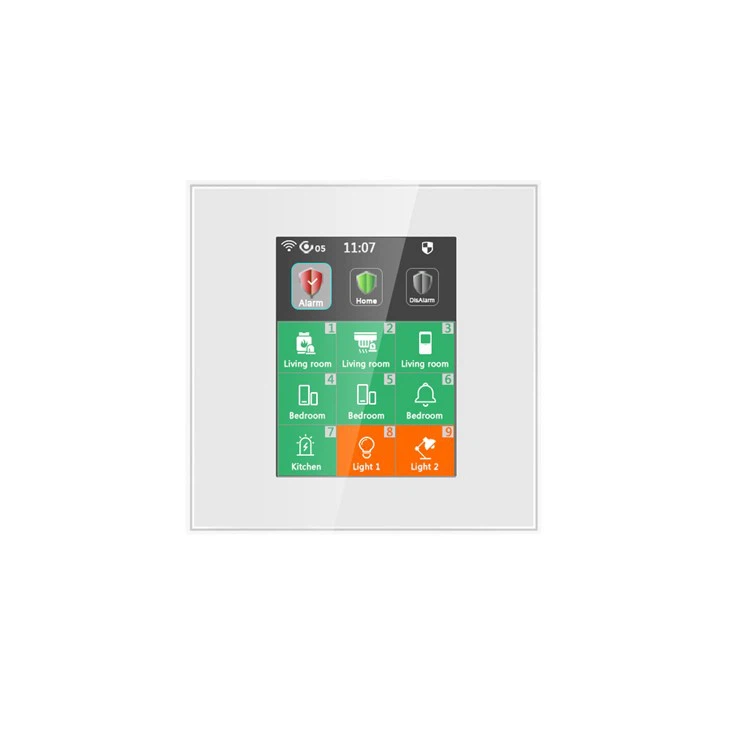
The intelligent control panel is designed with advanced security features, such as encrypted communication and user authentication. It also provides an intuitive interface that makes it easy to operate your alarm smart switch and other connected devices.
In conclusion, ensuring the security of your alarm smart switch requires a combination of careful product selection, regular maintenance, and the implementation of security best practices. By following the strategies outlined in this blog, you can significantly enhance the security of your alarm smart switch and protect your property and loved ones from potential threats.
If you are interested in purchasing our high - security alarm smart switches or the intelligent control panel kit, please feel free to contact us for more information and start a procurement discussion. We are committed to providing you with the best security solutions for your needs.
References
- Stallings, W. (2019). Cryptography and Network Security: Principles and Practice. Pearson.
- Whitman, M. E., & Mattord, H. J. (2018). Managing Information Security. Cengage Learning.


