How can I view the energy consumption data of my water heater through the smart switch?
Leave a message

Hey there! As a supplier of water heater smart switches, I often get asked how users can view the energy consumption data of their water heaters through these smart switches. Well, I'm here to break it down for you in a simple and easy - to - understand way.
First off, let's talk about why you'd want to view the energy consumption data of your water heater. Water heaters are one of the biggest energy consumers in a household. By keeping an eye on how much energy it's using, you can figure out ways to save on your electricity or gas bills. Maybe you'll realize that running the heater during off - peak hours can cut costs, or that you need to adjust the temperature settings to use less energy.
Now, let's get into the nitty - gritty of how to view this data using our smart switches.
Step 1: Set up the Smart Switch
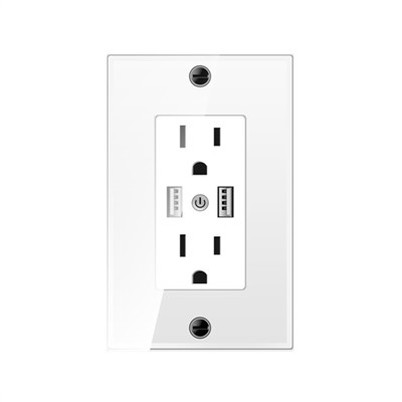
The first thing you need to do is install and set up your water heater smart switch. It's actually not as complicated as it sounds. Most of our smart switches, like the LCD wireless water heater switch and the Intelligent switch panel for water heater, come with detailed installation guides.
You'll start by turning off the power to your water heater at the breaker box. Then, connect the smart switch to your water heater according to the wiring diagram. Once the physical connection is done, you'll need to connect the switch to your home Wi - Fi network. Usually, you can do this through a dedicated mobile app. Just follow the on - screen instructions in the app, and you'll be up and running in no time.
Step 2: Download and Log in to the App
After setting up the switch, you'll need to download the corresponding mobile app. The app is available for both iOS and Android devices. Head over to the App Store or Google Play, search for our app, and hit the download button.
Once the app is installed, open it and create an account if you haven't already. You'll be asked to enter some basic information like your email address and a password. After logging in, the app will automatically detect your smart switch if it's properly connected to the Wi - Fi.
Step 3: Navigate to the Energy Consumption Section
Once you're logged in and the app has recognized your smart switch, it's time to find the energy consumption data. In the app, there's usually a dashboard or a main menu. Look for an icon or a section labeled something like "Energy Usage", "Power Consumption", or something similar.
When you click on that section, you'll be able to see all sorts of data about your water heater's energy consumption. You might see real - time data, which shows you how much energy the water heater is using at that exact moment. There'll also be historical data, which can be presented in graphs or tables. You can view daily, weekly, or monthly energy usage, and this can help you spot trends.
For example, if you notice that your water heater uses a lot more energy on weekends, you can think about why that might be. Maybe you're taking longer showers or doing more laundry on those days.
Step 4: Analyze and Take Action
Now that you have access to the energy consumption data, it's time to put it to good use. Analyze the data and look for ways to reduce energy consumption.
If the real - time data shows that the water heater is using a lot of energy even when you're not at home, you might want to set up a schedule in the app. Most of our smart switches allow you to program when the water heater should turn on and off. You can set it to heat water only during the times when you typically use hot water, like in the morning before you shower and in the evening when you do the dishes.
Another thing you can do is adjust the temperature settings. The historical data might show that you can lower the temperature a few degrees without sacrificing your comfort. Every little bit helps when it comes to saving energy.
Troubleshooting
Sometimes, you might run into issues when trying to view the energy consumption data. Here are some common problems and how to fix them:
- No Data Displayed: If you don't see any energy consumption data in the app, first check if the smart switch is properly connected to the Wi - Fi. You can do this by going to the settings in the app and looking for the network status. If it's not connected, try reconnecting it following the instructions in the app. Also, make sure that the water heater is actually consuming power. If it's turned off or there's a problem with the heater itself, there won't be any data to display.
- Inaccurate Data: If the data seems off, it could be due to a calibration issue. Some smart switches have a calibration feature in the app. You can try recalibrating the switch to get more accurate readings. If the problem persists, reach out to our customer support team.
Benefits of Using Our Smart Switches
Our water heater smart switches offer a lot more than just energy consumption monitoring. They're also super convenient. You can control your water heater from anywhere using the app. So, if you're coming home late and want hot water ready when you get there, you can simply turn on the heater using your phone.
They're also designed to be user - friendly. The app has an intuitive interface, so even if you're not tech - savvy, you'll be able to navigate it easily. And our smart switches are built to last. They're made with high - quality materials and are tested to ensure reliability.
Conclusion
Viewing the energy consumption data of your water heater through our smart switches is a great way to save money and be more energy - efficient. By following the steps I've outlined above, you'll be able to access the data, analyze it, and take action to reduce your energy usage.
If you're interested in purchasing our water heater smart switches, whether it's the LCD wireless water heater switch or the Intelligent switch panel for water heater, we're here to help. We offer a wide range of products to meet different needs and budgets. Contact us for more information and let's start saving energy together!


References
- General knowledge about smart home devices and energy management.
- Internal product documentation for our water heater smart switches.