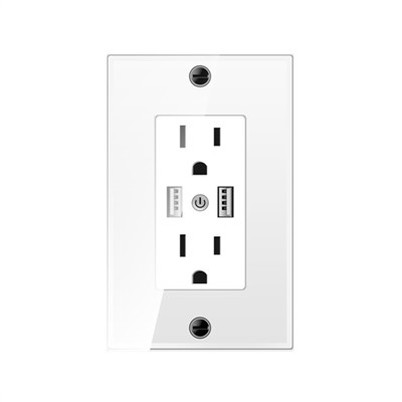
How to clean a Zigbee fan switch?
Leave a message

Hey there, folks! As a supplier of Zigbee fan switches, I know how important it is to keep these nifty devices in tip - top shape. Cleaning your Zigbee fan switch not only makes it look good but also ensures its proper functioning over time. So, let's dive right in and talk about how to clean a Zigbee fan switch.
Why Clean Your Zigbee Fan Switch?
First off, you might be wondering why you even need to clean your switch. Well, over time, dust, dirt, and grime can accumulate on the surface of the switch. This build - up can not only make the switch look ugly but can also affect its performance. Sometimes, dirt can get into the buttons or the contact points, leading to unresponsive controls or even short - circuits in severe cases. Plus, if you have a fancy Intelligent fan switch panel, you'd want to keep it looking its best, right?
Gather Your Cleaning Supplies
Before you start cleaning, you'll need to gather a few supplies. Don't worry; you probably already have most of these items lying around your house. Here's what you'll need:
- Microfiber cloth: This is great for gentle cleaning and won't scratch the surface of the switch.
- Mild cleaning solution: You can make your own by mixing a small amount of dish soap with water. Avoid using harsh chemicals as they can damage the switch.
- Cotton swabs: These are handy for getting into small crevices and hard - to - reach areas.
- Compressed air can: If you have a lot of dust inside the switch, this can help blow it out.
Turn Off the Power
Safety first! Before you start cleaning your Zigbee fan switch, make sure to turn off the power at the circuit breaker. This will prevent any accidental electrical shocks. It's also a good idea to label the breaker so you know which one controls the fan switch. A little caution can go a long way in keeping you safe.
Exterior Cleaning
Once the power is off, start by cleaning the exterior of the switch. Take your microfiber cloth and dampen it with the mild cleaning solution. Wipe the surface of the switch gently, making sure to remove any dust or fingerprints. Be careful around the edges and the buttons, as these areas can collect more dirt.


If you notice any stubborn stains, you can use a cotton swab dipped in the cleaning solution to gently scrub the area. Just make sure not to get too much liquid into the switch. After you've cleaned the surface, use a dry part of the microfiber cloth to wipe away any moisture.
Cleaning the Buttons
The buttons on your Zigbee fan switch can be a magnet for dirt and grime. To clean them, take a cotton swab dipped in the mild cleaning solution and carefully clean around each button. You can also use the tip of the cotton swab to get into the small spaces between the buttons.
If the buttons are really dirty, you can use a small amount of rubbing alcohol on the cotton swab. However, be very careful with this, as too much alcohol can damage the switch. After cleaning, use a dry cotton swab to remove any excess moisture.
Getting Rid of Dust Inside
If you suspect there's a lot of dust inside the switch, you can use a compressed air can. Hold the can upright and use short bursts of air to blow the dust out. Be sure to do this in a well - ventilated area, as the dust can go flying. This is especially useful for Zigbee Fan Switch models with small vents or openings where dust can accumulate.
Final Checks
Once you've finished cleaning, take a final look at the switch. Make sure there's no moisture left, as this can cause problems later on. Also, check that all the buttons are working properly. If you notice any issues, double - check that you've dried the switch completely and that there are no loose parts.
Now, you can turn the power back on at the circuit breaker and test the switch. You should notice that it looks better and may even operate more smoothly after the cleaning.
Maintenance Tips
To keep your Zigbee fan switch clean in the long run, here are some maintenance tips:
- Regular dusting: Use a dry microfiber cloth to dust the switch every few weeks. This will help prevent a large build - up of dirt.
- Avoid spills: Try to keep liquids away from the switch. If a spill does occur, turn off the power immediately and clean it up as soon as possible.
- Check the environment: If the switch is in a dusty or dirty area, consider using a protective cover to keep it clean.
Conclusion
Cleaning your Zigbee fan switch is a simple process that can make a big difference in its appearance and performance. By following these steps and using the right supplies, you can keep your switch in great condition for years to come.
If you're looking to purchase high - quality Zigbee fan switches or have any questions about our products, don't hesitate to reach out! We're here to help with all your smart home needs, including providing the best Intelligent fan switch panel and Zigbee Fan Switch options. Contact us to start a procurement discussion and take your smart home to the next level.
References
- Smart Home Device Maintenance Guides
- Electrical Safety Manuals