What apps can be used to control a smart smart socket?
Leave a message

Hey there! As a supplier of smart sockets, I often get asked about what apps can be used to control these nifty devices. Smart sockets are a game - changer in home automation, allowing you to manage your electrical appliances from anywhere using your smartphone. In this blog, I'll walk you through some of the top apps that work great with smart sockets.
1. Tuya Smart App
The Tuya Smart App is a real heavy - hitter in the world of smart home control. It's super popular because it supports a wide range of smart devices, including many of the smart sockets we supply. With the Tuya Smart App, you can easily set up your smart socket in just a few minutes.
Once it's set up, you can turn your connected appliances on or off with a simple tap on your phone screen. It also has a scheduling feature. For example, you can set your coffee maker to turn on at 7 am every morning, so you wake up to the smell of fresh - brewed coffee. And if you're away from home, you can still control your devices, giving you peace of mind that you can manage your energy usage even when you're not there.
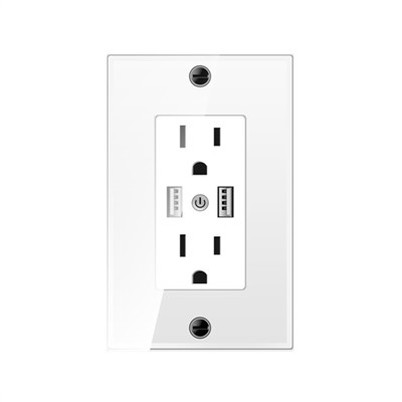
The app has a user - friendly interface that's easy to navigate, even for those who aren't tech - savvy. You can group your devices, create scenes, and control multiple smart sockets at once. It also integrates with other smart home platforms like Amazon Alexa and Google Assistant, so you can use voice commands to control your sockets. Check out our Charging wall socket which works seamlessly with the Tuya Smart App.


2. Smart Life App
The Smart Life App is another excellent choice for controlling smart sockets. It's developed by the same company behind the Tuya Smart App, so it shares many of the same features. One of the things I really like about the Smart Life App is its customization options. You can create custom timers and countdowns for your smart sockets.
Let's say you want to run your fan for two hours while you're taking a nap. You can set a countdown timer in the app, and the socket will automatically turn off the fan after the specified time. The app also provides real - time energy consumption data. This is great if you're trying to be more energy - efficient, as you can see how much power your appliances are using and make adjustments accordingly.
It has a beautiful and intuitive interface that makes it a pleasure to use. And just like the Tuya Smart App, it supports voice control through Amazon Alexa and Google Assistant. Our USA Standard Socket is fully compatible with the Smart Life App, so you can enjoy all these great features with our product.
3. Home Assistant
If you're a bit of a tech enthusiast and want more control over your smart home setup, Home Assistant is the app for you. It's an open - source platform that allows you to integrate a wide variety of smart devices, including smart sockets.
With Home Assistant, you can create complex automations. For example, you can set your smart socket to turn on the lights when the sun sets and turn them off when you go to bed. You can also integrate it with other sensors in your home, like motion sensors or door sensors. So if someone opens the front door, your smart socket can turn on the hallway lights.
The app gives you full control over the code and configuration, which means you can customize it to fit your specific needs. However, it does require a bit more technical knowledge compared to the other apps on this list. But if you're willing to put in the time to learn, the rewards are well worth it.
4. Samsung SmartThings
Samsung SmartThings is a well - known smart home platform that offers an app for controlling smart sockets. It has a large ecosystem of compatible devices, so you can easily expand your smart home setup.
The Samsung SmartThings app has a clean and modern interface. It allows you to create routines, which are similar to scenes in other apps. You can set up a "Good Night" routine that turns off all your smart sockets and other connected devices with one tap. It also has a location - based feature. So if you leave your home, the app can automatically turn off all your non - essential devices to save energy.
It integrates with Samsung's own line of smart devices, as well as other popular brands. And of course, it supports voice control with Amazon Alexa, Google Assistant, and Samsung's own Bixby.
5. Apple HomeKit
If you're an Apple user, Apple HomeKit is a great option for controlling your smart sockets. It's built into the iOS operating system, so you don't need to download a separate app. You can control your smart sockets using the Home app on your iPhone, iPad, or Apple Watch.
Apple HomeKit offers a high level of security and privacy. All your data is encrypted and stored on your devices, so you don't have to worry about your information being shared. It also supports voice control through Siri. You can simply say, "Hey Siri, turn off the living room lamp," and the smart socket will do the rest.
The app allows you to create rooms and group your devices by location. This makes it easy to manage your smart home setup, especially if you have multiple smart sockets in different rooms.
Why Choose Our Smart Sockets?
Our smart sockets are designed to work seamlessly with all these apps. We've put a lot of effort into ensuring that our products are of the highest quality and offer the best user experience. Whether you're using the Tuya Smart App for its simplicity or Home Assistant for its advanced customization, our smart sockets will perform flawlessly.
We offer a wide range of smart sockets to suit different needs and preferences. From our Charging wall socket that provides fast charging for your devices to our USA Standard Socket that meets the specific requirements of the US market, we've got you covered.
If you're interested in purchasing our smart sockets or have any questions about the apps or our products, don't hesitate to get in touch. We're always happy to help you find the perfect smart socket solution for your home or business. Whether you're a homeowner looking to make your life a bit easier or a business owner looking to improve energy efficiency, our smart sockets are the way to go.
So, if you're ready to take the next step in home automation, reach out to us for a purchase discussion. We'll work with you to find the best app - socket combination for your needs and ensure a smooth and hassle - free setup.
References
- Various product manuals and documentation for smart sockets and related apps.
- User reviews and feedback from smart home communities.