What should I do if my alarm smart switch stops working?
Leave a message

Hey there! So, you've got an alarm smart switch that's decided to take a break from working, huh? Well, don't worry; I'm here to help. As a supplier of alarm smart switches, I've seen my fair share of these issues, and I'm going to walk you through some steps to get your switch back up and running.
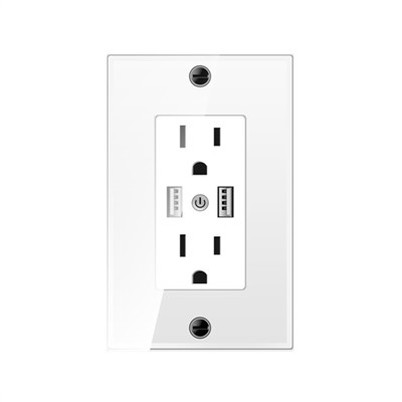
First off, let's talk about what an alarm smart switch is and why it's so useful. An alarm smart switch, like our LCD Wifi Mesh Alarm Smart Switch, is a device that can control your electrical appliances and also has alarm functions. It allows you to turn things on and off remotely, set schedules, and get alerts if something goes wrong. It's a great way to add an extra layer of security and convenience to your home or office.
Now, let's get into the troubleshooting. The first thing you should do when your alarm smart switch stops working is to check the basics. Start by making sure the switch is properly plugged in. Sounds simple, but you'd be surprised how often this is the culprit. Sometimes, the plug can get loose over time, or there might be an issue with the outlet. Try plugging the switch into a different outlet to see if that makes a difference.
Next, check the power supply. If the switch is battery-powered, make sure the batteries are fresh and inserted correctly. Low or dead batteries can cause all sorts of problems, so it's worth a quick check. If it's a hardwired switch, check the circuit breaker to see if it's tripped. A tripped breaker can cut off power to the switch, so flipping it back on might solve the problem.
Another common issue is a connection problem. Your alarm smart switch relies on a stable connection to your Wi-Fi network to function properly. Check to see if your Wi-Fi is working by connecting another device, like your phone or laptop, to the network. If the Wi-Fi is down, you'll need to troubleshoot your router. Try restarting your router by unplugging it for a few seconds and then plugging it back in. This can often reset the connection and get things working again.


If your Wi-Fi is working fine, but the switch still isn't connecting, you might need to reconnect the switch to the network. Most alarm smart switches have a setup process that allows you to connect them to your Wi-Fi. Look for the instructions that came with your switch and follow the steps to reconnect it. You might need to enter your Wi-Fi password again, so make sure you have that handy.
Sometimes, the problem might be with the switch itself. If you've checked all the basics and the switch still isn't working, it could be a hardware issue. Try resetting the switch to its factory settings. This will erase any custom settings you've made, but it can also clear up any software glitches that might be causing the problem. Look for a reset button on the switch and hold it down for a few seconds until the switch resets.
If resetting the switch doesn't work, it's possible that there's a more serious hardware problem. In this case, you might need to contact the manufacturer for further assistance. As a supplier, we offer excellent customer support, and our team of experts can help you diagnose and fix the problem. You can reach out to us, and we'll do our best to get your switch working again.
In addition to troubleshooting the switch itself, it's also a good idea to check the app or control panel that you use to manage the switch. Sometimes, the app might have a bug or compatibility issue that's causing the problem. Make sure you have the latest version of the app installed on your device. You can usually check for updates in the app store on your phone or tablet. If there's an update available, install it and see if that solves the problem.
If you're using an Intelligent Control Panel Kit to control multiple switches, check the panel to make sure it's working properly. The panel can sometimes experience its own issues, such as a software glitch or a connection problem. Try restarting the panel and see if that helps.
It's also important to keep your alarm smart switch updated with the latest firmware. Firmware updates can fix bugs, improve performance, and add new features to your switch. Check the manufacturer's website regularly to see if there are any firmware updates available for your switch. If there are, follow the instructions to download and install the update.
In some cases, the problem might be with the electrical system in your home or office. If you've tried all the troubleshooting steps and the switch still isn't working, it could be a sign of a more serious electrical issue. In this situation, it's best to consult a licensed electrician. They can inspect your electrical system and make sure everything is safe and working properly.
So, there you have it – a comprehensive guide on what to do if your alarm smart switch stops working. Remember, most problems can be solved by checking the basics, troubleshooting the connection, and resetting the switch. If you're still having trouble, don't hesitate to reach out to us. We're here to help you get the most out of your alarm smart switch.
If you're in the market for a new alarm smart switch or looking to expand your existing setup, we've got you covered. Our LCD Wifi Mesh Alarm Smart Switch and Intelligent Control Panel Kit are top-of-the-line products that offer reliable performance and advanced features. Contact us to learn more about our products and how they can enhance your home or office security and convenience. We're always happy to discuss your needs and help you find the right solution for your situation.
References
General knowledge about alarm smart switches and troubleshooting techniques.